
Scheduled analytics reports
Automate delivery of workspace analytics summaries via email on a daily, weekly, or monthly schedule.
Scheduled reports send a recurring analytics summary to your inbox so teammates, clients, and stakeholders can stay informed without logging into the dashboard.
Each report is generated from the same reporting data used across Nimriz analytics and delivered by email on the schedule you configure.
What each report includes
- Total clicks for the completed period (bot-flagged traffic excluded)
- Period-over-period comparison against the previous period
- QR scan versus short-link click split
- Top 10 links by clicks, with destination host when available
- Geographic breakdown (top 10 countries)
- Device breakdown (desktop, mobile, tablet, and other categories)
- Traffic sources (top referrers and top social sources)
Report totals come from the same reporting rollups as the dashboard analytics views.
Frequency options
| Frequency | Coverage |
|---|---|
| Daily | The previous calendar day |
| Weekly | The previous 7-day reporting window |
| Monthly | The previous calendar month |
Daily schedules are available on Enterprise plans.
Scope options
Reports can be scoped to the level that matches how your team works:
- Entire workspace
- A single domain
- A single space
- A single tag
Creating and managing schedules
Schedules live under SettingsReports.
- Click New schedule.
- Name the schedule and choose the Frequency (Daily, Weekly, or Monthly) and the Scope.
- Set the send Hour (UTC) and, for weekly or monthly schedules, the day.
- Add Recipients as a comma-separated list of email addresses.
- Click Create schedule.
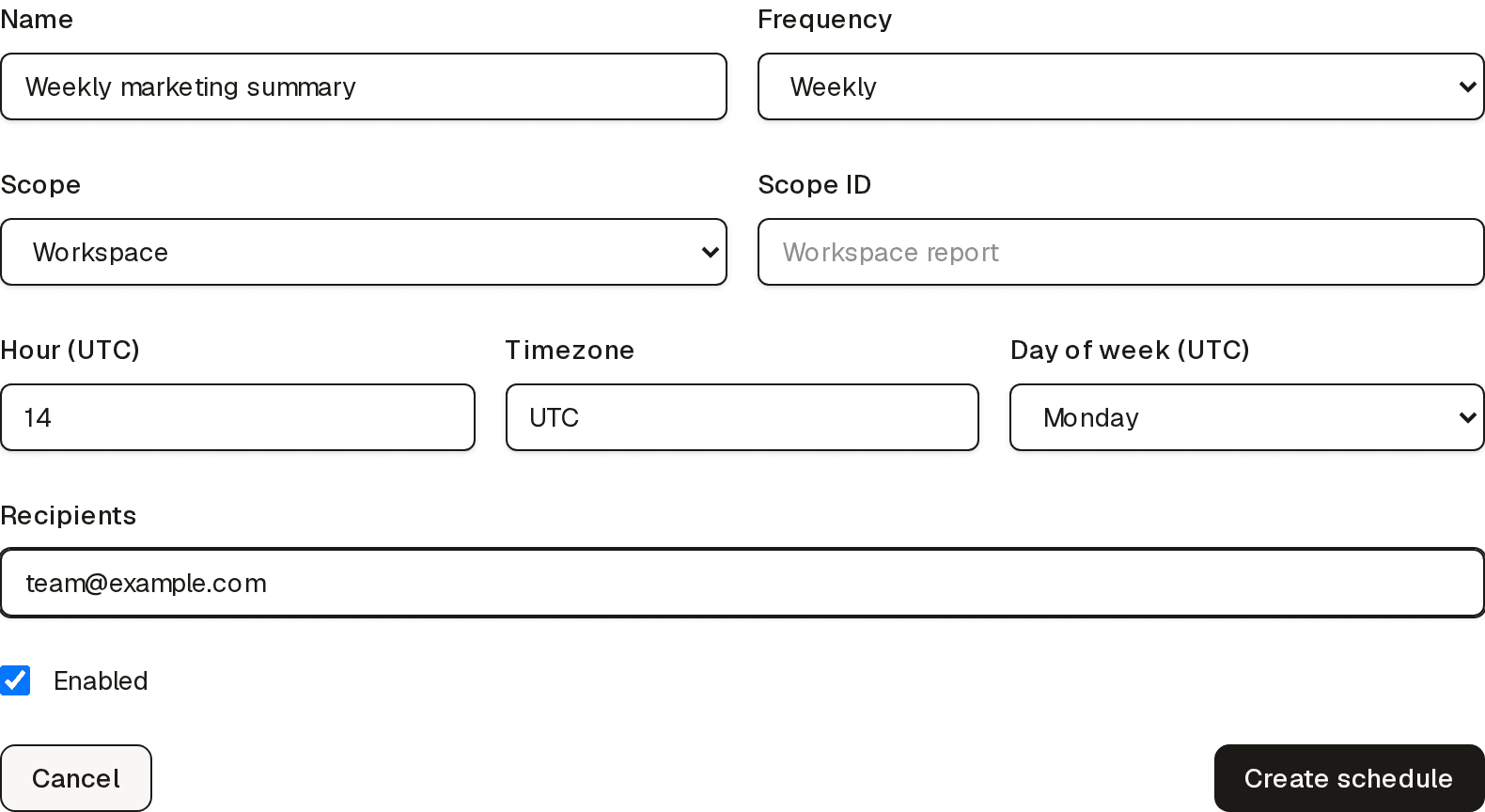
From a schedule's Manage page you can edit settings, Send test to deliver a one-off copy immediately, pause it by unticking Enabled, or Delete it.
Recipients
You can send a schedule to multiple email addresses, including recipients who do not have Nimriz accounts. Every report email includes an unsubscribe link for that schedule. After a recipient confirms the unsubscribe, Nimriz stops sending that schedule to the address and prevents it from being re-added without explicit consent.
Plan availability
| Plan | Scheduled reports | Daily frequency | Max schedules | Max recipients per schedule |
|---|---|---|---|---|
| Starter | No | No | 0 | 0 |
| Plus | No | No | 0 | 0 |
| Growth | Yes | No | 1 | 3 |
| Professional | Yes | No | 3 | 5 |
| Enterprise | Yes | Yes | 10 | 10 |
Delivery behavior
- Reports are generated from Nimriz reporting rollups rather than raw exports.
- If the selected period has no activity, the report still sends with zero totals so the schedule remains predictable.
- The email footer links back to the schedule's settings page in the dashboard and includes a schedule-specific unsubscribe link.
When to use scheduled reports
- Weekly updates for marketing or growth teams
- Monthly summaries for clients or leadership
- Focused reporting for a domain, campaign space, or tag
Related guides
Related next steps
Ready to test this setup?
Create an account to try the workflow, or compare plans when the setup needs higher limits, integrations, or team controls.