
Dynamic QR codes for trackable branded links
Fixed-destination QR codes printed on packaging, signage, or merchandise have a permanent problem: you cannot fix a wrong destination or learn how many people scanned them. Nimriz generates dynamic QR codes tied to branded short links so the destination stays editable and every scan is measured.
- Download PNG or SVG assets from any existing short link
- QR scans tracked separately from ordinary clicks on the same analytics record
- Update the destination anytime - the printed QR code keeps working
- Branded styling and reusable presets for consistent offline campaigns
Reusable QR configuration tied to the same branded short link and analytics.
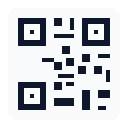
Every printed QR code faces the same structural problem: the destination is baked into the image at the moment of printing. If the URL changes - because the campaign ended, the landing page moved, or the product URL was updated - the printed code becomes permanently broken. Teams that discover this after a print run have no good options: they either reprint at cost, apply stickers over the old code, or accept that thousands of units now lead somewhere wrong.
Nimriz solves this by making QR codes a view of a short link rather than a direct encoding of a destination URL. The QR image encodes your branded short link (for example, brand.to/summer). The short link's destination can be changed at any time in your dashboard. The printed code stays the same. This is what "dynamic QR code" means in practice: the physical asset is permanent, the destination behind it is not.
The second problem with traditional QR codes is invisibility. You print codes on product packaging, event signage, or retail displays and have no way to know whether anyone scanned them, where those scanners were located, or what devices they used. Nimriz addresses this with a dedicated QR scan trigger type. Generated QR assets carry a Nimriz-managed internal marker that the platform uses to classify scan traffic separately from ordinary short-link clicks. You see QR scans and direct link clicks as distinct channels on the same canonical link record, without creating duplicate links or fragmented analytics.
Output formats cover the two practical use cases: PNG for digital surfaces such as slide decks, email footers, and social posts; SVG for print materials, large-format signage, and packaging where the code must scale without quality loss. Styling options (colors, shapes, logo, and optional CTA layouts) are available on supported plans, with reusable presets to keep branding consistent across campaigns.
Who it is for
Print QR codes on packaging, shelf talkers, and in-store displays, then redirect to seasonal promotions without reprinting materials. Measure scan volume and geography to understand which store locations or SKUs are generating offline engagement.
Place QR codes on event signage, speaker decks, badges, and handouts. Update the destination between event days or after the live session ends. Track scan volume separately from digital campaign clicks to attribute offline attendance to link activity.
Download SVG assets for large-format print production and bulk-download ZIP archives of QR images across many links on supported plans. Apply a workspace preset so every QR code in a print run shares the same branded styling without manual reconfiguration per link.
What you get
Save a complete styling configuration as a named preset and apply it across many links. Every QR you generate from that preset inherits the same colors, shapes, and optional logo, so campaigns stay visually consistent without manual reconfiguration. On supported plans you can save multiple presets and set a workspace default that applies automatically to new links.
Download your QR code as a PNG raster image for digital use (slides, emails, documents) or as an SVG vector file for print materials and large-format signage. The SVG scales to any size without quality loss, making it the right choice for packaging, banners, and posters. Both formats stay connected to the same short link record, so the destination is always current.
Nimriz-generated QR assets encode a reserved internal marker so scans are classified as their own trigger type in analytics, separate from ordinary short-link clicks. This means the same branded link can be printed on a product package and shared in an email campaign, and each channel reports its own traffic without requiring two separate links. The marker is stripped before the destination receives the request, so your landing page URLs stay clean.
A dynamic QR code points to a Nimriz short link, not directly to a URL. When you change the short link's destination, the printed QR code automatically leads to the new page - no reprinting or redesigning needed. This is the core value of QR campaign tracking: the physical code is permanent, but the destination is not. For retail shelf talkers, event signage, or packaging inserts, this means one print run can serve an entire product lifecycle.
How it works
One short link, one QR code, permanent print - changeable destination
A Nimriz dynamic QR code is not a standalone asset. It is a rendered view of an existing short link. Generating the QR, placing it on print, and updating the destination are all operations on that one link record.
Create a branded short link and generate a QR code from the link detail page. The QR image encodes the short link URL, not the destination directly.
Download PNG for digital use or SVG for print and large-format production. Apply a preset or custom styling before downloading to match your brand guidelines.
Place the QR code on print materials, merchandise, signage, or packaging. Scan the code to verify it resolves correctly before committing to a large print run.
- Update the short link's destination at any time. The printed QR code continues to work and now leads to the new page. No reprinting is needed.
- Scan events are classified with a QR trigger type automatically, so analytics can distinguish offline QR traffic from ordinary browser clicks on the same short link record.
- QR scans follow the same privacy-aware analytics contract as ordinary clicks. Raw IP addresses and full User-Agent strings are never stored.
Setup
- 1Create or find the branded short link you want the QR to encodeOpen your Nimriz dashboard and create a new short link (or open an existing one). Set the destination URL to wherever you want scanners to land. If you use a custom branded domain on a supported plan, the QR image will encode your branded short URL rather than a generic one. See link creation and slugs for details on slug options and custom domains.
- 2Open the QR panel on the link detail pageNavigate to the link detail page. Locate the QR section, which shows a live preview of the generated code. On every plan you can customize colors, module shapes, corner eyes, gradients, and transparent backgrounds, then download styled PNG and SVG assets. Adding a center logo, removing the Nimriz watermark, and saving a preset are available on Plus and higher plans.
- 3Choose your output format: PNG for digital, SVG for printDownload SVG when the QR code will be used on print materials, packaging, banners, or any surface where you do not control the final output size. SVG is vector and scales without quality loss. Download PNG (at 1024px minimum for print use, or higher) for digital surfaces such as slide decks, email headers, and social posts. When in doubt, use SVG. See the QR codes doc for sizing and contrast best practices.
- 4Test the code before committing to a print runScan the downloaded QR code with a standard smartphone camera app on both iOS and Android before placing it in a print-production file. Check that the destination resolves correctly, the code scans reliably in different lighting conditions, and the quiet zone (the blank border around the code) is not cropped in your design layout. Testing before mass printing prevents costly reprints.
- 5Place the QR on your print material and distributeEmbed the QR asset in your print-production file. The printed code now points to your branded short link. Because the code encodes the short link rather than the destination URL directly, you can update the destination in your Nimriz dashboard at any time after printing without touching the physical materials.
- 6Track scans and update the destination whenever neededMonitor QR scan volume, geography, and device mix from your analytics dashboard. QR scans appear as their own trigger type, distinct from browser clicks on the same link. On supported plans, the dedicated QR Performance view isolates QR-origin traffic and top QR-enabled links. When your campaign destination changes, update the short link and the printed codes redirect automatically. See analytics and privacy for details on what scan data is collected.
What good looks like
Fixed-destination QR code printed on packaging
- Destination URL is encoded permanently in the image at print time
- Wrong URL after a site migration means every printed unit is broken
- No way to know how many people scanned, from where, or on what device
- Fixing requires a reprint, a sticker correction, or accepting broken codes
- Offline campaign contribution is invisible in digital analytics
Dynamic QR code on a Nimriz short link
- QR encodes the branded short link - destination stays editable in the dashboard
- Update the destination after printing without touching the physical materials
- QR scans reported as their own trigger type, with geo and device breakdowns
- Same short link shows both scan and click traffic for full channel comparison
- Privacy-aware analytics: no raw IP or full User-Agent stored
Print once. Redirect and measure forever. The QR code on your packaging, signage, or event materials becomes a permanent, trackable bridge between your offline distribution and your digital analytics.
Frequently asked questions
What is the difference between a QR scan and a link click in Nimriz analytics?
A QR scan and a short-link click are two trigger types on the same canonical link record. When Nimriz generates a QR code, the image encodes a URL that includes a reserved internal marker. When someone scans the code, the Nimriz platform detects that marker and records the event as a QR scan (touch type: qr_scan) rather than an ordinary short-link click (touch type: short_link_click).
This means you can use the same branded short link on a printed poster and in a digital email campaign, and analytics will show scan traffic and click traffic as separate channels on the same link record. You do not need to create two separate links to separate these channels. The internal marker is stripped before the destination receives the request, so your website analytics and server logs never see it.
Which download format should I use for print: PNG or SVG?
Use SVG for any print context where you do not control the final output size. SVG is a vector format that scales to any dimension without quality loss, which makes it the right choice for packaging artwork, large-format banners, outdoor signage, and any design file that will be sent to a print production workflow. SVG also natively supports transparent backgrounds.
Use PNG when the QR code will appear in a digital context: slide decks, email headers, social posts, or PDF documents. For print uses where only PNG is available, download at 1024px minimum. For large-format print, use SVG instead of a high-resolution PNG. Regardless of format, always scan and test the downloaded file before committing to a print run.
Can I change the destination URL after the QR code is already printed?
Yes. This is the defining capability of a dynamic QR code. Because the QR image encodes your Nimriz short link rather than the destination URL directly, you can update the short link's destination in your dashboard at any time. Every existing scan of the printed QR code will then resolve to the new destination automatically. The physical code on packaging, signage, or merchandise does not need to change. This is useful when a campaign ends, a product page moves, or a seasonal promotion is replaced.
Do QR scans show up separately from ordinary link clicks in the dashboard?
Yes. Nimriz-generated QR assets carry a Nimriz-managed internal marker that the platform uses to classify the event as a QR scan, distinct from an ordinary short-link click. In your analytics dashboard you can filter by trigger type to see QR-origin traffic in isolation, or compare QR scans alongside link clicks on the same chart. On supported plans, a dedicated QR Performance view surfaces QR scan volume, QR share of traffic, and top QR-enabled links without requiring manual filter setup.
What are the print sizing and contrast guidelines for reliable scanning?
Reliable scanning depends on contrast, quiet zone, and physical size. Use a dark foreground on a light background (or vice versa). Avoid similar shades of the same color, such as dark grey modules on a medium-grey background. The quiet zone - the blank border around the code - must be preserved and not cropped in your design layout; reducing it too aggressively makes the code unreliable for scanners.
For physical sizing, the general guidance is that the minimum scan distance should be roughly ten times the module size. Larger print surfaces and longer intended scan distances require a larger printed code. If you add a logo, keep it to approximately 20 to 25 percent of the total QR area. Always scan the final printed code before committing to a mass print run, and test in multiple lighting conditions. For large-format production, use the SVG download.
Is advanced QR styling and customization available on all plans?
QR styling (colors, gradients, module shapes, corner eyes, and transparent backgrounds) and styled PNG and SVG downloads are available on every plan, including Starter. QR codes on the Starter plan include a small Nimriz watermark; uploading a center logo and removing the watermark are available on Plus and higher plans. Saved presets start on Plus (1 preset), with higher limits on Growth and above. CTA layouts, custom CTA text, bulk QR ZIP exports, and the dedicated QR Performance analytics view are available on Growth and higher plans. The live QR heatmap and QR API access are available on Professional and higher plans. See the custom QR codes documentation for the full plan availability table.
How does QR campaign tracking work for offline-to-online attribution?
QR campaign tracking works by treating the QR scan as a measurable trigger on the same short link you use for digital distribution. When you place a QR code on physical materials - product packaging, retail displays, event programs, or outdoor signage - each scan generates an analytics event with a QR trigger type. Nimriz records geo and device context alongside the scan event using the same privacy-aware model as ordinary link clicks.
This means a retailer can compare scan volume by location or region, an events team can see which conference signage drove the most engagement, and a packaging team can track how many product purchasers visited the landing page after buying. The scan data lives on the same canonical link record as any digital click campaign, making combined offline-online reporting straightforward without requiring a separate analytics system.
Can I download QR codes for multiple links at once?
Yes, on Growth and higher plans. Select multiple links in the Links table, use the bulk QR action in the header, and Nimriz queues a ZIP of QR assets rendered from each link's saved effective QR state (including any presets, per-link overrides, and transparent background settings). The ZIP is prepared in the background and becomes available in your Exports view when complete. It includes a manifest file listing which links succeeded, which failed to render, and the render-source metadata for each asset.
Related use cases
Deeper reading
Continue exploring
Related workflow paths
Ready to get started?
Create your account and start with the Starter workflow. Contact us when you need higher limits or want to ask about supported-plan capabilities.