
Link creation and slugs
Create branded links, choose safe custom slugs, understand reserved paths, and manage expiration or fallback behavior before campaigns go live.
How link creation works
Every short link in Nimriz has three key components: a domain, a slug (the short code), and a destination URL. When a visitor hits your short link, Nimriz resolves the exact domain, finds the slug on that domain, and redirects them to the destination.
Links are scoped to a specific domain. The same slug can exist on two different domains without conflict, but cannot appear twice on the same domain.
Prerequisites
Before creating a link, make sure you have:
- An active workspace with a domain assigned to it (either a Nimriz built-in domain or a fully verified custom domain).
- The destination URL ready-it must use
https://(http://is rejected unless HTTP destinations are explicitly enabled for your Nimriz environment). - Sufficient monthly quota remaining on your workspace or domain.
Creating a link from the dashboard
- Open your workspace and click New link (or use the keyboard shortcut in the dashboard).
- Paste your destination URL into the Destination URL field. Nimriz validates the URL format immediately and live-checks that the destination is reachable.
- Select the domain you want to use in the Short link selector. Only domains currently granted to your workspace appear.
- Optionally enter a custom slug (custom slugs are available on paid plans). If you leave it blank, Nimriz generates a random slug.
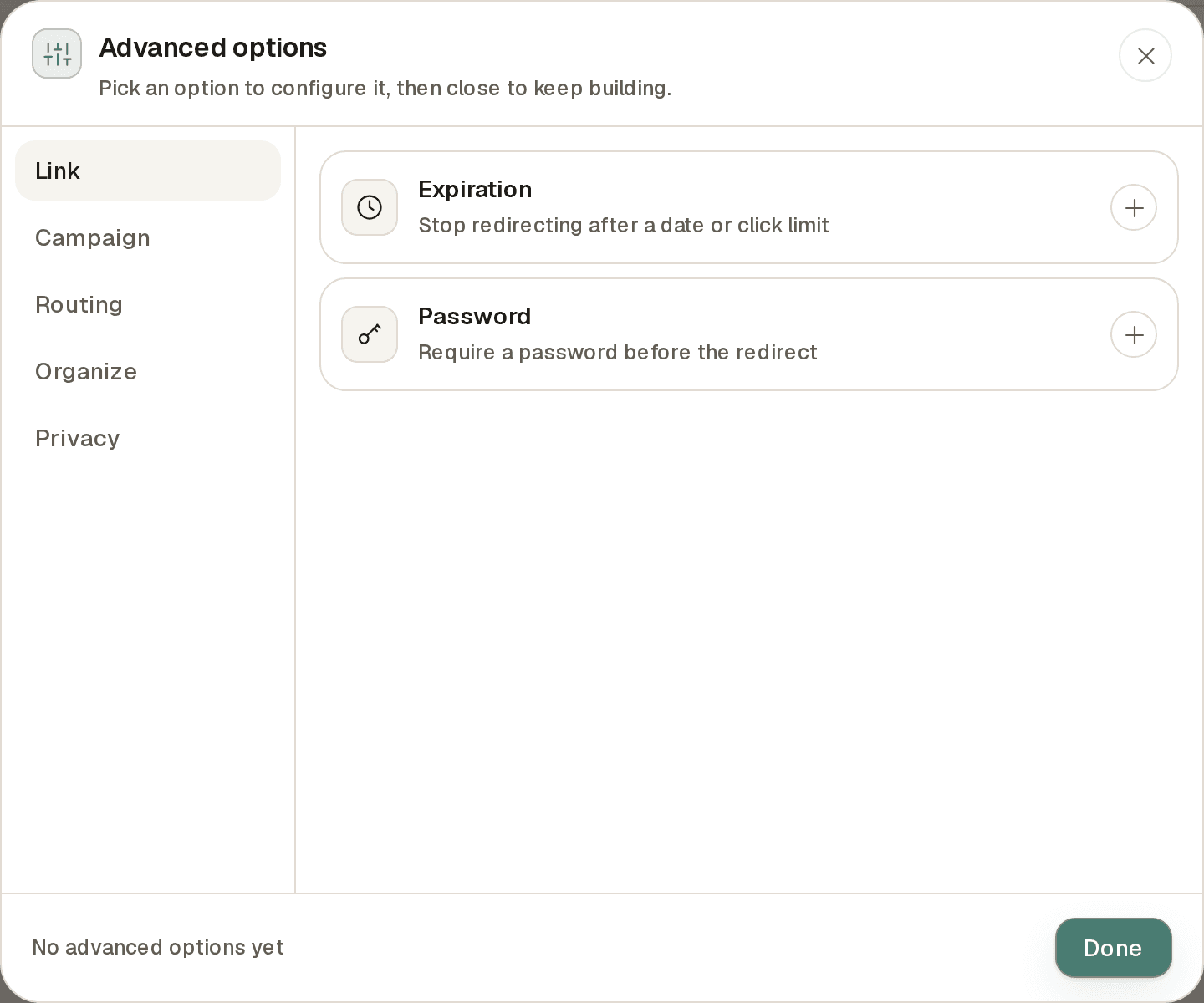
- Optionally set an expiration date and time under Advanced options → Expiration.
- Optionally enable password protection under Advanced options → Password (plan-gated).
- Click Create link (or press ⌘↵).
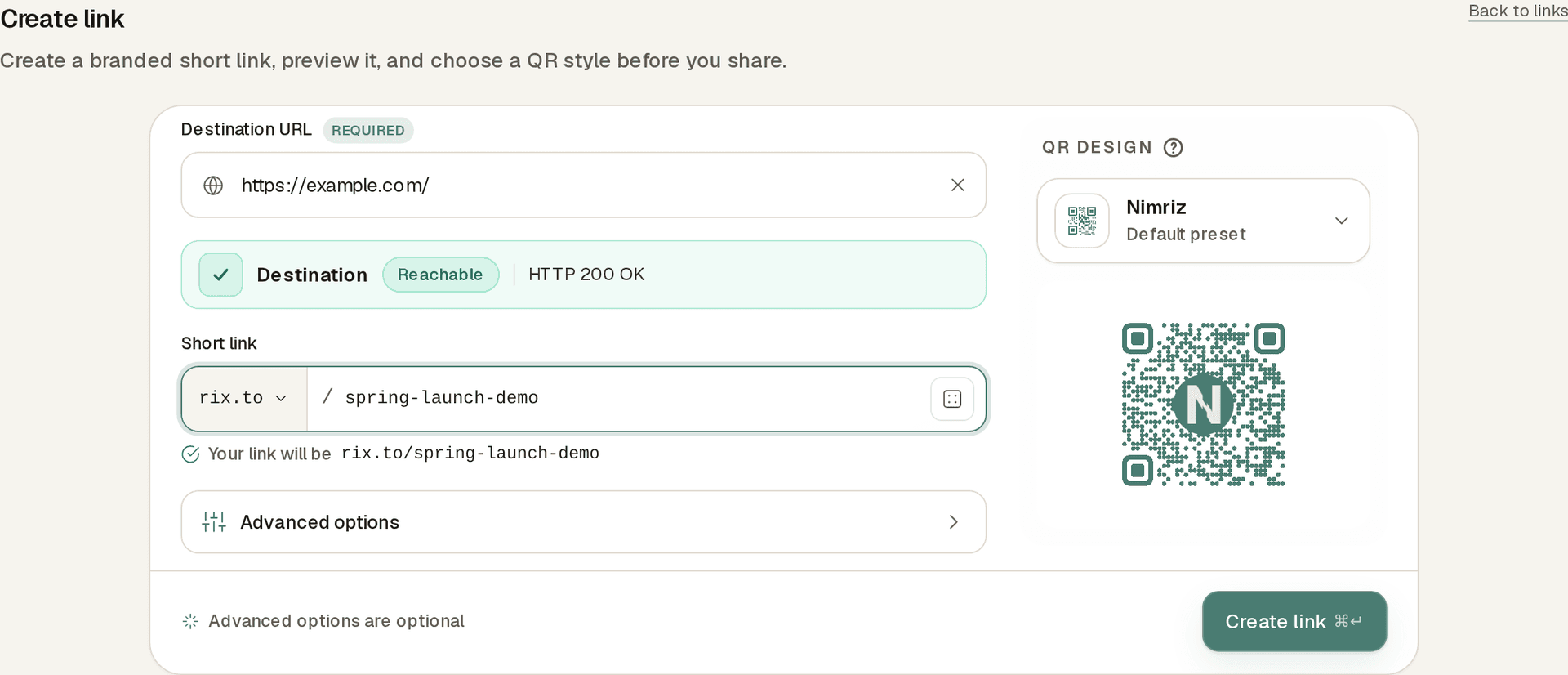
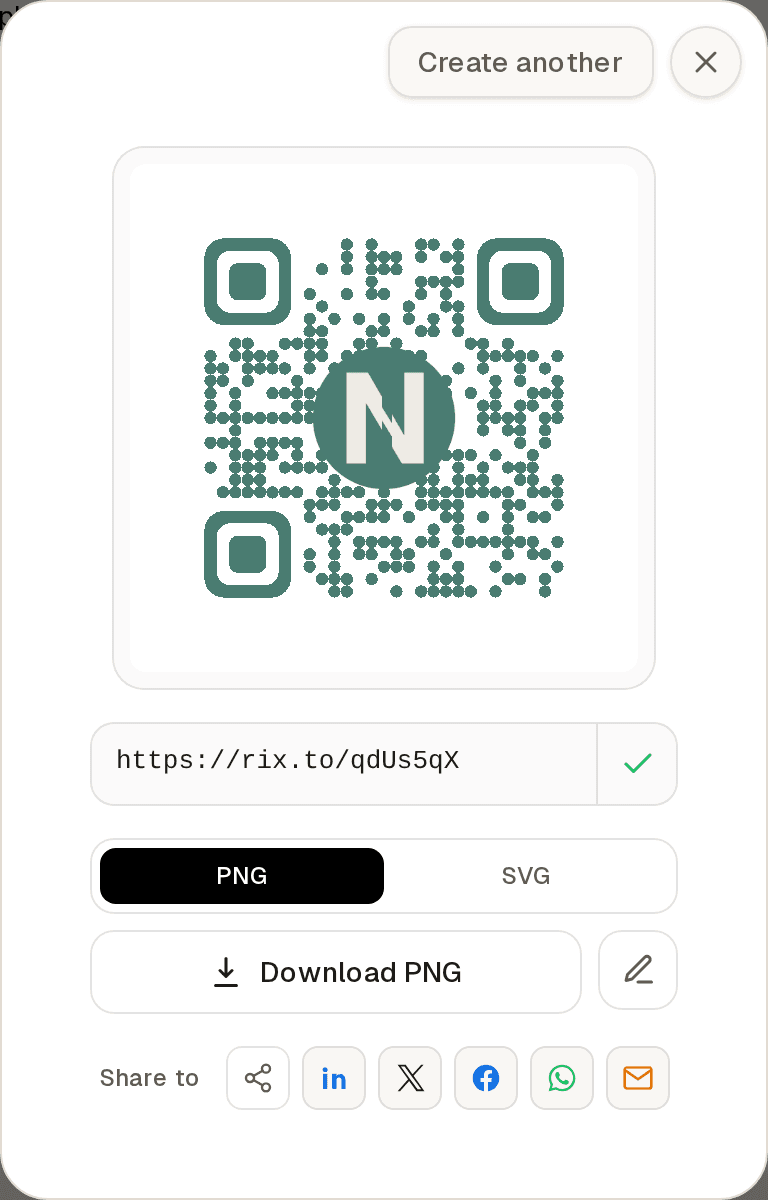
After creation, Nimriz returns the full short URL. The link is immediately live on the redirect network.
Choosing a domain
Nimriz offers two types of domains:
Nimriz built-in domains (such as nim.lu, riz.to, rix.to) are shared platform domains. They are ready immediately without any DNS configuration. On these shared domains, slugs are shared across all accounts, so highly common words are likely already taken.
Custom branded domains (such as links.example.com) are domains you own and verify. They offer complete control over your slug namespace, and they are the only domain type that supports deep links.
Domain selection matters beyond branding. Each domain has its own:
- Slug namespace (slugs are unique per domain, not globally).
- Expiration policy (some domains require an expiration on every link).
- API access mode (private or public).
- Fallback behavior for expired and missing links.
Slugs
The slug is the path after the domain, for example spring-launch in links.example.com/spring-launch.
Formatting rules
- Minimum length: resolved per domain (see below). The global default is 5 characters. Higher-tier plans allow shorter custom slugs (Growth 4, Professional 3, Enterprise 2). Domain or account policy can override the plan default.
- Maximum length: 64 characters.
- Not allowed: spaces or forward slashes
/. Stick to letters, digits, hyphens, and underscores for slugs that stay readable and URL-safe everywhere.
What makes a good slug
- Descriptive enough to recognize later without opening the link.
- Short enough to read aloud or type without errors.
- Consistent with your campaign naming conventions-teams benefit from agreed prefixes like
em-for email campaigns orso-for social.
Reserved and blocked slugs
Some slugs cannot be used on any domain:
| Reason | Examples | Error code |
|---|---|---|
| System-reserved path | admin, api, login, billing, _health, .well-known | slug_reserved |
| Below domain's minimum length | A 2-character slug on a domain where the resolved minimum is 5 | slug_reserved |
| Recently deleted | Slug from a purged link that is in a temporary block window | slug_tombstoned |
| Already taken | Another link on the same domain already uses this slug | HTTP 409 (no code) |
Minimum custom slug length is resolved in this order:
- Domain-level policy (most specific).
- Plan-level default from your workspace plan.
- Account-level policy.
- Global default of
5characters.
Destination URL rules
| Condition | Behavior |
|---|---|
https:// destination | Always accepted (recommended). |
http:// destination | Rejected unless HTTP destinations are explicitly enabled for your Nimriz environment (they are off by default). |
javascript:, data:, file: | Always blocked for safety. |
| Destination pointing to a Nimriz-managed domain | Blocked to prevent redirect loops. |
| Destination pointing to the same short domain | Blocked to prevent self-referential loops. |
Always use HTTPS destinations in production. HTTP destinations can cause browser security warnings for visitors.
Redirect behavior
By default, Nimriz issues a 302 temporary redirect. Use this for campaigns, promotions, or any link where the destination might change.
To request a 301 permanent redirect, set redirect_status_code: 301 via the API. Use 301 only when you are certain the destination will never change-browsers and search engines cache 301s aggressively, and you cannot undo them from the visitor's browser after the fact.
Link states
After creation, a link can be in one of these states:
| State | Redirect behavior |
|---|---|
active | Redirects normally to the destination. |
disabled | Does not redirect; falls back to the domain's not-found landing URL. |
expired | The expiration time has passed; falls back to the domain's expired landing URL. |
flagged | May show interstitial behavior depending on the specific takedown state. |
Link expiration
You can set an optional expiration date when creating or updating a link.
When a link expires:
- Redirects stop immediately at the expiration time.
- Visitors are sent to the domain's configured expired landing URL instead.
- An expired link is an intentional stop state, not a broken link.
Some domains enforce expiration when a domain-level policy requires it. Otherwise, expiration is optional and links stay active until you set one or disable the link.
You can extend or remove expiration on existing links through the dashboard or the PUT /api/update-expiration endpoint, subject to domain and plan policy. If the operation is blocked, the domain policy does not allow expiration changes for that link's current state.
Editing an existing link
After a link is created you can:
- Change the destination URL from the link detail page.
- Change the slug-the old slug immediately stops working unless you create a separate link for it. Notify your audience before changing slugs on published links.
- Add, change, or remove expiration when policy allows.
- Add, change, or remove password protection (plan-gated).
- Add routing rules (plan-gated).
- Delete the link from the links table or link detail page. Deletion is permanent, stops redirects immediately, removes workspace analytics rollups for that link, and reserves the slug through the normal tombstone window.
Deleting a link
When you delete a link from the dashboard:
- The short URL stops redirecting immediately and falls back to your domain's not-found landing page.
- Workspace analytics rollups and link detail views for that link are removed.
- Historical click events in retained archive systems follow normal retention policy and are not selectively erased.
- The deleted slug enters a temporary hold window before it can be reused on the same domain.
If the link owns a hosted page, deleting the link also deletes that page and its related submissions.
Troubleshooting create and edit errors
| Error code | What it means | What to do |
|---|---|---|
slug_reserved | Slug is a system path or below the minimum length. | Choose a longer or different slug. |
slug_tombstoned | Slug was recently deleted and is still in a temporary hold window. | Wait for the hold to expire, or try a different slug. |
| — | Slug is already taken on this domain (409, "Slug already exists", no code field). | Try a different slug. |
destination_blocked | Destination uses a forbidden scheme or points to a Nimriz domain. | Use a valid HTTPS destination that does not point back to a Nimriz domain. |
invalid_expires_at | The expiration timestamp is malformed. | Send a valid ISO 8601 timestamp (e.g., 2026-12-31T23:59:59Z). |
expiration_required | The domain requires an expiration on every link. | Include a valid expires_at value. |
expiration_update_not_allowed | The domain policy blocks expiration changes for this link. | Contact support if you need to change the expiration on a restricted domain. |
monthly_quota_exceeded | Your workspace or domain has reached its link-creation limit for this billing period. | Wait for the quota to reset, or upgrade your plan. |
domain_disabled | The domain is not active. | Check domain status in your workspace settings. |
account_suspended | The workspace account is suspended. | Contact support. |
Related guides
Related next steps
Ready to test this setup?
Create an account to try the workflow, or compare plans when the setup needs higher limits, integrations, or team controls.