
Lead capture gates
Set up hosted-page lead gates, choose fields, collect consent-aware submissions, and export leads as CSV for follow-up.
Lead capture gates
Lead capture gates let you collect a visitor's details before revealing a hosted page. Use them when a branded short link or QR code should deliver a page and generate a structured lead in the same flow.
The gate is attached to the hosted page itself, so you can keep the same short link and QR code while changing the fields or consent copy later.
Plan availability
| Plan | Included |
|---|---|
| Starter | No |
| Plus | No |
| Growth | No |
| Professional | Yes |
| Enterprise | Yes |
Lead capture gates are available on Professional and Enterprise.
Where gates work
Lead capture gates currently work on:
- Custom micro-pages
- Document pages
They do not apply to:
- Event pages
- Standard redirect-only links
What a gate can collect
Each gate can require one or more of these fields:
- Name
- Phone
- Company
This feature stays intentionally bounded. Nimriz does not support custom fields, file uploads, freeform form builders, or skip links in this gate.
Turning on lead capture
- Open Pages in the dashboard sidebar.
- Select a custom micro-page or document page and open its editor.
- In the Lead capture section of the Build tab, tick Require a lead before revealing this page.
- Under Fields, choose the fields you want to require.
- Add the Consent copy that should appear on the public gate.
- Save the page.
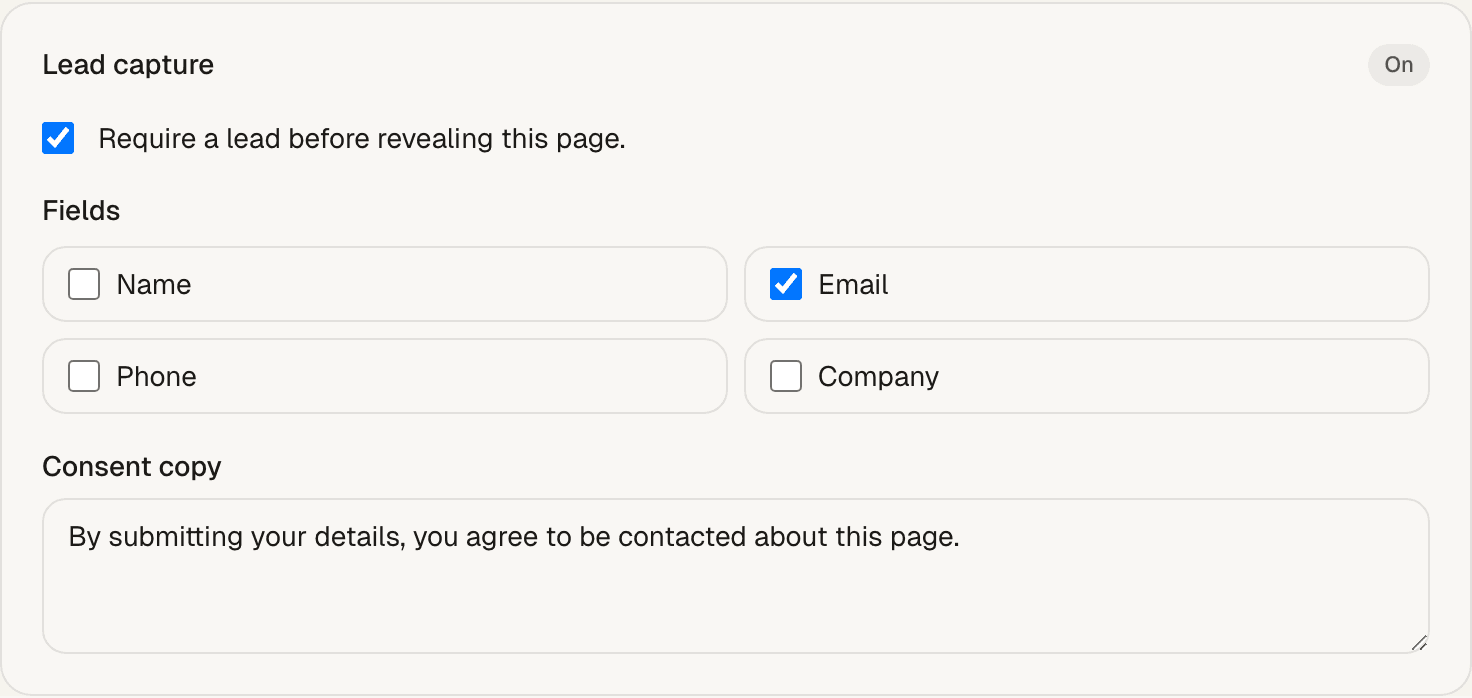
The gate works on published pages and appears before the visitor can see the page content.
Visitor experience
When a visitor opens the page:
- The lead form appears before the page content.
- The visitor submits the required fields.
- Nimriz unlocks the page immediately after a successful submit.
- The same browser stays unlocked for that page for 7 days.
This keeps repeat visits smooth without removing the gate from the public page.
Lead management and export
Nimriz stores each submission with the owning hosted page and short link so you can review or export the captured leads later.
You can manage leads from:
- Pages for workspace-level recent leads and CSV export
- Link detail for lead counts and recent submissions tied to one short link
Exports are delivered as CSV so you can move the data into spreadsheets, CRMs, or downstream reporting tools.
Analytics and privacy
Lead capture gates emit these page-level events:
lead_gate_viewedlead_submitted
These events stay tied back to the owning hosted page and short link. You can review lead counts on link detail and lead conversion in the page's Track tab. Nimriz does not store raw IP addresses or the full raw User-Agent string in lead storage.
Troubleshooting
The gate does not appear
Check that:
- The page is a custom micro-page or document page
- The page is published
- Lead capture is enabled in the page editor
The visitor still sees the gate after submitting
Check that:
- The submission succeeded
- The visitor stayed in the same browser
- Browser cookies are not being blocked or cleared immediately
CSV export is empty
Check that:
- Leads have actually been submitted for the page or link you are exporting
- The export scope matches the page or link you expect
- The workspace includes lead export access
Related guides
Related next steps
Follow setup and reference guides for Nimriz products and integrations.
Create document sharing pages, event pages with RSVP, and custom micro-pages - hosted on Nimriz, attached to branded short links and QR codes, with page-level analytics.
Add configurable lead capture gates to hosted pages with consent-first forms, bounded field options, CSV export, and privacy-aware lead storage.
Ready to test this setup?
Create an account to try the workflow, or compare plans when the setup needs higher limits, integrations, or team controls.