
You bring on a freelancer for one campaign. They need to make a dozen links, nothing more. But the options in front of you feel binary: hand over your password so they can get in, or keep the credentials to yourself and create every link they ask for by hand. The first choice leaks your account and erases any record of who did what. The second turns you into the bottleneck for a six-week engagement. Neither is how you want to run a link program that more than one person touches.
The real problem is not access, it is scoped access plus a record of what changed. You want the freelancer to do exactly their job, the executive to watch without touching anything, and a log that answers "who changed this link" months later without anyone having to remember. This is a playbook for delegating link work to a growing team and outside contractors while staying in control.
Stop thinking all-or-nothing
Password sharing is all-or-nothing access with no accountability. Doing everything yourself is no delegation at all. Governance is the middle path: give each person a role that matches what they actually need to do, keep an audit trail that records changes by default, and make strong authentication a team policy rather than a personal preference.
Get those three pieces in place and the freelancer question answers itself. You invite them, scope them, and the log keeps everyone honest.
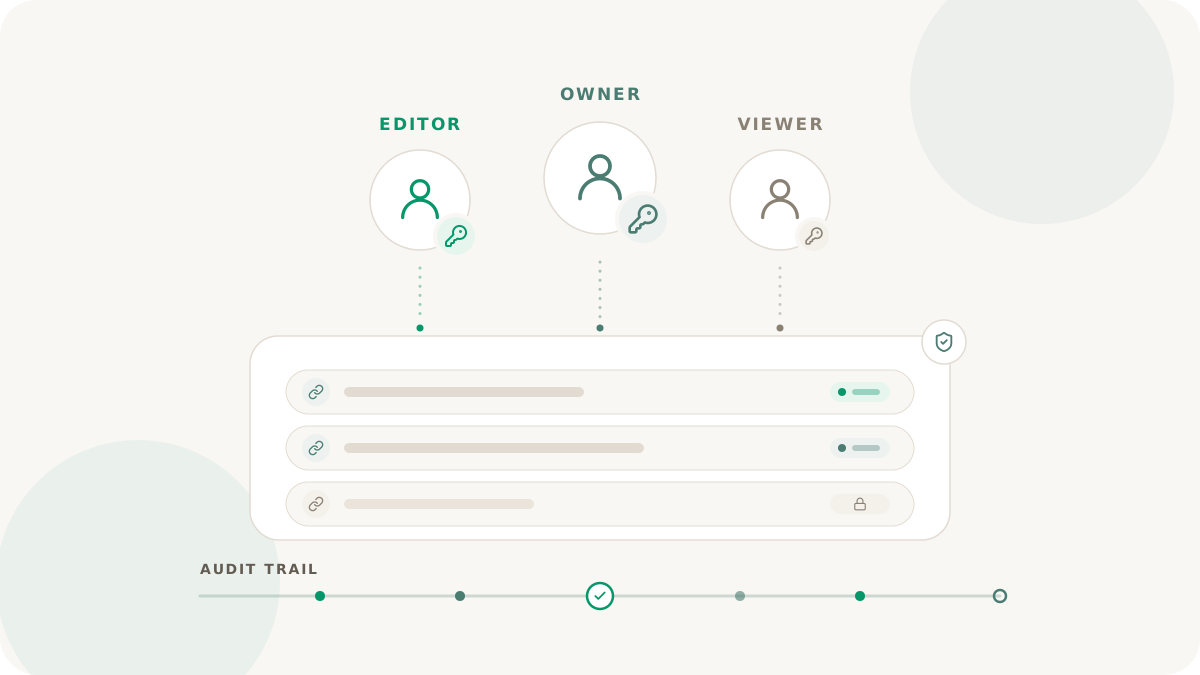
Three roles, read as three people
Skip the permission grid and think in personas. Nimriz workspaces use three roles, and each one maps cleanly to a real person on a link program.
- Admin is the person accountable for the surface. They manage the team, the domains, billing where it lives at the workspace, and security policy. This is you, and ideally one trusted colleague so you are never the single point of failure.
- Member is the working role. They create and update links, run reports, and work with conversions and integrations. This is your freelancer, your campaign manager, your channel owners. They do the work without touching domains or the team list.
- Viewer is the watcher. They see the dashboard and the data but cannot change anything. This is your executive sponsor, an outside advisor, or a finance contact reviewing a partner export.
Most programs under-use the viewer role because it feels second-class, then end up handing edit access to people who only ever wanted to look. If someone needs visibility and not control, viewer is the correct answer, not member.
Onboard without the workarounds
Inviting someone is deliberately boring: you enter their email, pick a role, and send. The invite arrives in their inbox, they accept with Google or by setting a password on the invited email, and they land in the workspace with exactly the role you chose. The email they were invited under is fixed, so nobody accepts an invite into a mailbox other than the one you targeted.
That is the entire onboarding path for the freelancer. No shared password, no manual link creation, no leftover access you forget to remove. When the engagement ends, you remove the member and the door closes. Resending and revoking invites are admin actions too, so a stale invite link is never a quiet liability. The exact expiry and resend behavior is in the team invites and roles docs.
Stay accountable with audit logs and 2FA
Delegation is only comfortable if you can see what happened and trust who is logging in.
The audit log is the record of change, and it is on by default with no opt-in. It captures link edits, team changes, domain events, and more, each entry stamped with the actor, the time, and what changed. When a link turns up somewhere unexpected, the log tells you who created or last updated it and from which surface. When an auditor wants a history of policy and membership changes, the log produces it without a single screenshot. Because entries cannot be edited or deleted, the log is also a quiet deterrent: people behave differently when they know the system remembers. The full picture of what gets recorded is in the audit logs docs.
Two-factor authentication has two layers worth keeping straight. Personal 2FA is something an individual turns on for their own account. Workspace 2FA enforcement is something an admin requires of everyone in the workspace: once it is on, members who are not yet enrolled are routed to set it up before they can work, with no read-only fallback. Treat them as one toggle and you lose track of which one is actually protecting you. Setup details are in the two-factor authentication docs.
A rollout order that does not break anything
If you are adding governance to a program that grew organically, sequence it so nothing locks people out unexpectedly:
- Settle the admins first. Promote the one or two people who should be accountable, and make sure every workspace keeps at least one admin. Nimriz will not let you remove the last admin, but you should not be relying on that as your plan.
- Bring in members and viewers by role. Give working contributors member, and give stakeholders viewer instead of defaulting everyone to edit access.
- Clean up pending invites. Revoke anything stale, resend anything legitimate.
- Raise 2FA adoption, then enforce it. Get personal 2FA in place across the team, announce a cutover, then turn on workspace enforcement.
- If you need SSO, verify it before you require it. Org-owned SAML authenticates a user but does not automatically grant them workspace access, so membership stays invite-first and intentional. Test the provider with a real user and keep a non-SSO recovery path for an admin before making SSO mandatory. Required SSO with a misconfigured provider is a self-inflicted outage.
What you get back
You can hand the freelancer exactly the access their campaign needs, give the executive a window without a way to break anything, and answer "who changed this link, and when" from a log instead of memory. The payoff is measurable: count the credentials you stopped sharing and the change-history questions you can now close from the audit log alone.
Invite your first teammate with the team invites and roles docs. For the wider security posture this governance supports, see short link security.