
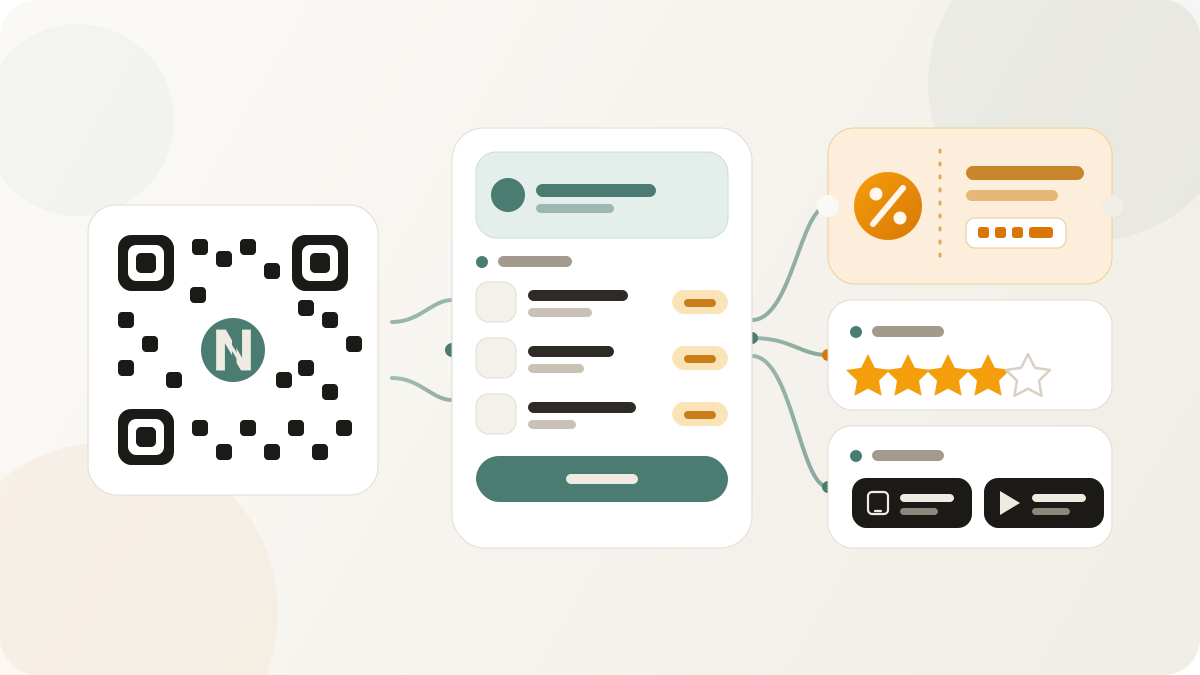
QR Pages are structured hosted destinations that sit behind a QR code or Nimriz link. They are useful when the visitor needs more than a redirect, but the team does not need a full website build for each offline placement.
Use QR Pages for focused destinations such as menus, coupons, feedback, social hubs, app links, and business profiles. The value is that the printed QR can stay the same while the hosted content behind it can be updated.
Restaurant menus
A menu QR Page gives visitors a mobile-friendly destination for categories, items, descriptions, and links. It works for restaurants, cafes, pop-ups, food trucks, and event concessions.
The operational benefit is editability. If an item changes or a seasonal section rotates, the page can be updated without changing the printed table card.
Coupons and offers
A coupon QR Page can present an offer with redemption rules, codes, expiry information, and a clear call to action. This is useful for in-store promos, event giveaways, direct mail, and partner placements.
Keep claims precise. Coupon controls can help manage redemption behavior, but they should not be described as fraud-proof.
Rating and feedback pages
Feedback QR Pages are useful at service counters, events, packaging inserts, and retail displays. They give visitors a direct path to submit comments or ratings while the experience is fresh.
The page should ask only for the fields the team needs. If the feedback is customer-owned, public copy should not imply automatic CRM sync unless that workflow is explicitly configured.
Social hubs and app links
A social hub QR Page collects profile links in one place. An app-store routing page can guide visitors to the right app destination. These are useful on posters, packaging, events, and small cards where a single QR code needs to support several follow-up actions.
Use clear labels so visitors understand what they will get after scanning. A QR code without context is easier to ignore.
Business profiles
A business profile QR Page can carry opening hours, contact details, address information, and key links. It is a practical option for local teams that need a durable mobile destination without making every sign point to a long website URL.
When to use a QR Page instead of static QR
Use a QR Page when the content may change, when you need a mobile-friendly destination, or when you want scan reporting through a managed link. Use static QR when the content is simple, fixed, and does not need Nimriz scan analytics.
For setup details, read Hosted QR Pages. For link-backed QR styling and scan analytics, read Custom QR codes.