
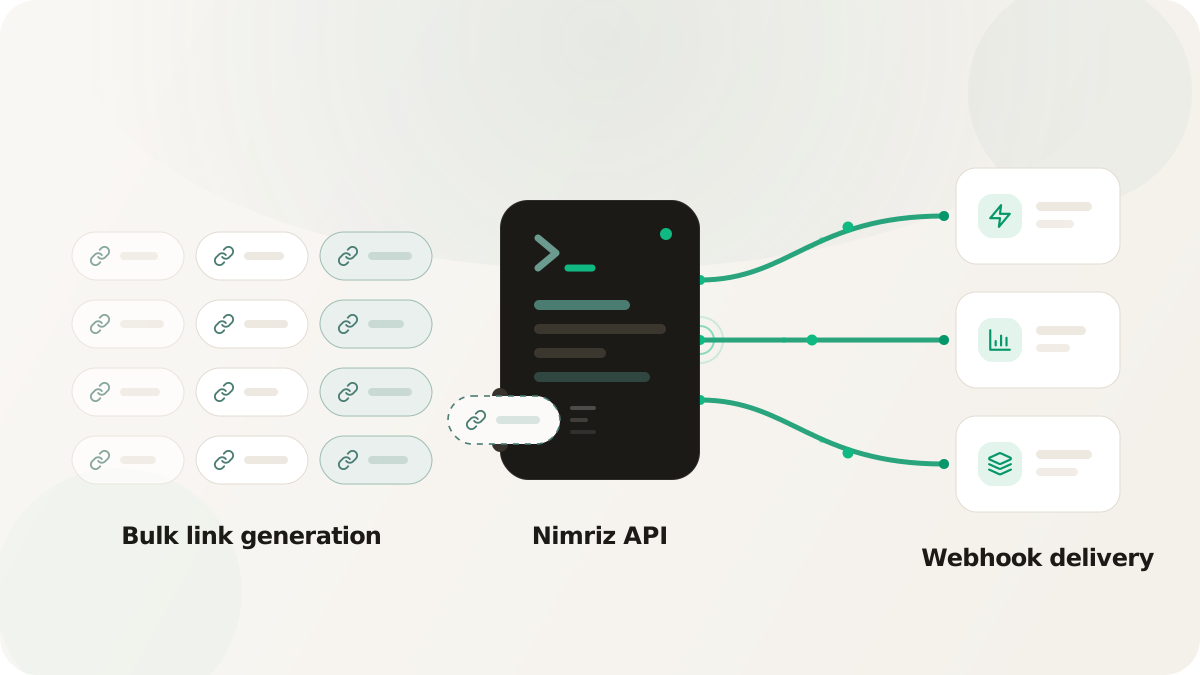
You are an engineer staring at a campaign matrix: 5 brands by 10 channels by 4 creative variants, 200 links the media team needs by Friday. The dashboard can make every one of them, one form at a time. Do that and you will spend the afternoon copy-pasting UTM values, you will fat-finger at least one utm_source, you will hit a slug collision around link 140, and there will be no clean record of how the set was generated when someone asks in March. Manual link creation is a workflow that quietly breaks at exactly the scale where links start to matter.
This is a developer's playbook for the Nimriz API and event delivery. It is not an endpoint reference; the API reference has the parameters. It is a set of recipes worth wiring up, and the reliability notes that keep them from paging you later.
Two surfaces, two jobs
Before the recipes, get the model straight, because mixing the two up is the most common integration mistake.
- The API is how you create and mutate links. Authenticated with a workspace API key, it shortens URLs, checks slugs, and updates destinations, expirations, and passwords. This is your outbound, "make me a link" surface.
- Event delivery is how Nimriz tells you something happened. Signed lifecycle webhooks (
link.created,link.updated,link.takedown_updated,domain.verification_updated) notify your backend when links and domains change. Click, QR scan, and conversion events are a separate stream: you forward those to your own endpoints and automation tools through destinations, which the docs also call click webhooks. Lifecycle webhooks are documented in webhooks; click and conversion delivery lives in the integrations overview.
Knowing which surface owns which job is what keeps you from trying to "listen for a click" on the lifecycle webhook stream, which does not carry clicks.
Recipe 1: bulk-generate a campaign matrix
The 200-link matrix is the canonical case for the API. A short script loops over the parameter space (brand, channel, variant), builds each destination URL with the right UTMs, and calls the shorten endpoint. Nimriz has a bulk shorten endpoint so you can submit the set in batches rather than firing 200 sequential requests.
The thing that makes this robust is deterministic slugs. Derive each slug from the inputs (acme-paid-search-v3) instead of letting one be auto-assigned. Now the whole set is consistent, the UTMs are generated rather than typed, and re-running the script is safe: a slug that already exists comes back as a conflict you treat as "already done," not a duplicate. You build the matrix in minutes, with no typos and a script that doubles as the record of how it was built.
Recipe 2: just-in-time personalized links
Some links should not exist until the moment they are needed. A loyalty re-engagement email points each member at a personalized balance page, yourbrand.com/redeem?member_id=usr_84729. You could pre-generate 50,000 short links the night before, but that is a batch job to babysit and a tight coupling between your CRM and your link platform that you will regret.
The cleaner pattern is to mint the link inline: when your email or messaging platform renders a send for a specific recipient, it calls the shorten API with that recipient's destination, gets a short link back, and drops it into the template. The link exists exactly when it is needed and reflects the state of the world at that instant. The same pattern fits SMS, push, and in-app share flows: any time the URL is unique per recipient, generate it on demand.
Recipe 3: score CRM leads on click
Now the inbound direction. A sales rep sends a proposal with a branded short link to a demo video, and you want the CRM to react the moment the prospect clicks.
This is a click event, so it runs through a destination, not the lifecycle webhook stream. Configure a destination (a generic HTTP endpoint you own, or a native automation app like Zapier, Make, or n8n) and add an action triggered on click events, filtered to the links or tag that represent demo content. When the prospect clicks, Nimriz delivers the event to your endpoint asynchronously, your handler bumps the lead's engagement score, and a follow-up task lands on the rep's queue. The response time on a warm signal drops from "next time someone checks the dashboard" to seconds.
Recipe 4: Slack alert on demo clicks
The same click destination powers a lighter-weight play. Point an action at a Slack-posting endpoint (through an automation app or a small HTTP receiver) and filter it to your high-intent links. The rep's channel buzzes with "your prospect just opened the demo" while the prospect is still on the page. Filters are what keep this from becoming noise: scope the action to the touch type, the domain, the tag, or a field condition like a specific utm_campaign, so only the clicks worth interrupting someone for actually fire.
Reliability gotchas
The recipes are easy. Making them survive retries and partial failures is the real work.
- Make creation idempotent. Assume any create call can run twice (a retry, a queue redelivery). Deterministic slugs give you a natural idempotency key: the second attempt collides on a slug that already exists, which your code handles as a no-op instead of a duplicate link.
- On your receivers, respond first and process later. Return
200immediately when an event arrives, then push the payload onto an internal queue and do the real work in a background worker. Senders have short timeouts and will retry an endpoint that is slow. - Dedupe on event id. Both lifecycle webhooks and click delivery are at-least-once, so you will eventually see the same event twice. Dedupe on the event id, never on the slug or the delivery attempt number.
- Log raw payloads. Store the raw body alongside the processing outcome. When a feed looks wrong weeks later, the raw log is the only thing that tells you whether the bug is yours or upstream.
What you get back
You stop hand-making links, and the systems that need links or click signals get them without a human in the loop: a 200-link matrix built in minutes, personalized links minted at send time, and warm clicks reaching your CRM and Slack in seconds instead of at the next dashboard check. Measure it by the manual link-creation hours you reclaim and the lag you cut between a meaningful click and the action it should trigger.
See the API reference to start creating links programmatically, webhooks for signed lifecycle events, and the integrations overview to forward click and conversion events. For applying spaces and tags consistently as you generate links at scale, see organizing links with spaces and tags.