
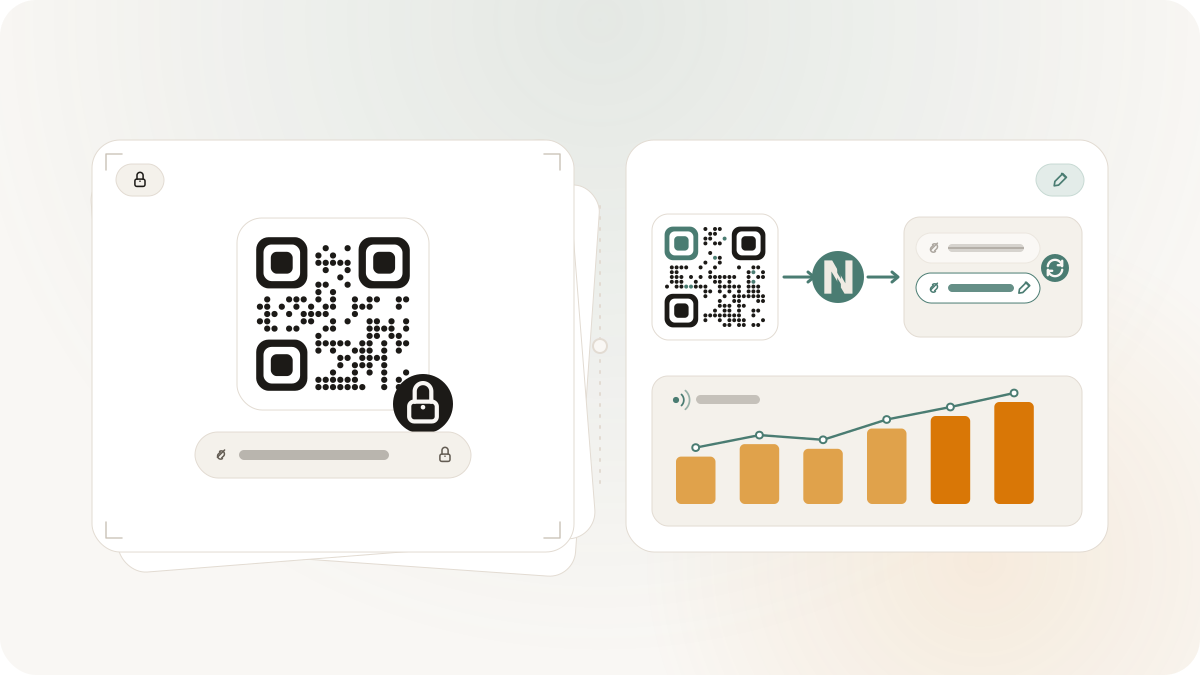
Static and dynamic QR codes look similar after they are printed, but they behave very differently. The choice matters because it decides whether you can change the destination later, whether scans can be reported in Nimriz, and how much risk you carry before sending artwork to print.
Use this guide to choose the safer QR type for a campaign, sign, handout, package insert, or utility code.
The short version
A static QR code stores the content directly in the QR image. If the code encodes text, WiFi details, a phone number, or a final URL, that content is fixed after download and print.
A dynamic QR code points to a managed link or hosted page. The printed QR keeps pointing to the same short URL, but the destination behind that URL can change in Nimriz. That is why dynamic QR is usually safer for campaigns, packaging tests, seasonal offers, and any asset you may need to update after print.
When static QR is the right choice
Static QR is useful when the content is simple, stable, and low risk:
- A WiFi sign for a guest network
- A phone or SMS action on a small flyer
- A WhatsApp chat link for a fixed team inbox
- A text note or simple instruction
- A contact card where the details are not expected to change
The trade-off is permanence. If a static QR code has the wrong phone number, outdated URL, or old WiFi password, the printed code cannot be corrected in Nimriz. You need to regenerate and redistribute it.
Static QR also does not create Nimriz scan analytics unless the encoded content is itself a Nimriz managed link. A static QR that encodes plain text or a direct non-Nimriz URL has no redirect path for Nimriz to measure.
When dynamic QR is safer
Dynamic QR is the safer default when a code supports a campaign, printed collateral, offline media, or anything with a real production cost. Use dynamic QR when you need to:
- Change the destination after a code is printed
- Keep UTM parameters clean and governed
- Measure QR scans separately from ordinary clicks
- Route scans to a campaign page, hosted QR Page, or localized destination
- Pause, replace, or audit the link behind the code
The printed QR points to a short link. Nimriz handles the redirect, classifies QR scan traffic, and keeps the reporting connected to the link record.
What changes after print
The most important question is: what can change without reprinting?
| Need | Static QR | Dynamic QR |
|---|---|---|
| Change destination after print | No, unless the static code points to a managed link | Yes |
| Track scans in Nimriz | Only if the encoded content routes through Nimriz | Yes, for managed link QR scans |
| Store simple utility content in the QR | Yes | Usually not the goal |
| Keep the printed pattern simple | Sometimes, depending on payload length | Usually, because the encoded short URL is compact |
| Use for campaign reporting | Usually no | Yes |
A practical decision rule
Choose static QR when the content is fixed, low sensitivity, and easy to replace if it changes. Choose dynamic QR when the QR code will be printed at scale, handed to another team, used in a campaign, or measured later.
If you are unsure, use dynamic QR for customer-facing marketing and static QR for simple utility signs.
Nimriz setup paths
Use Static QR codes for fixed utility codes and saved static records. Use Custom QR codes for link-backed Dynamic QR styling, frames, presets, and QR scan analytics.
For public generation, start with the QR code generator. For campaign work, use Dynamic QR features so the printed code can stay useful after the first destination changes.