
Every Monday it is the same ritual. A stakeholder asks "how are the links doing?" You open the dashboard, run a few filters, screenshot a couple of charts, paste them into a Slack thread, and retype the same three sentences of commentary you wrote last week. By the next Monday the screenshots are stale, the question has shifted slightly, and you do it all again. It is fifteen minutes that never compounds into anything, repeated for as many stakeholders as care about the numbers, forever.
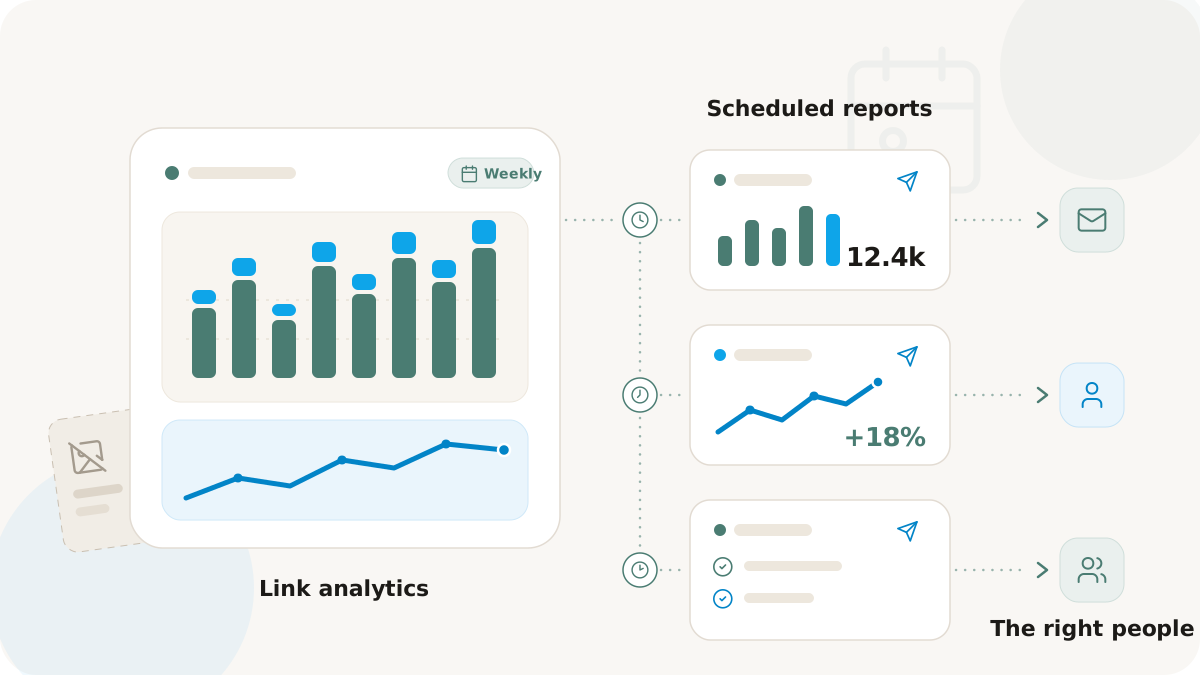
The fix is small and durable: stop hand-delivering the numbers and let a scheduled report do it. Set up the email once, and the right summary lands in the right inboxes on the right cadence, in a consistent format, whether or not you remember. This is a playbook for replacing the Monday-morning reporting tax with recurring reports that people actually read.
A useful report answers the standing questions
A recurring report earns its place only if it covers what stakeholders actually ask about, so that nobody has to reply asking for one more number. A Nimriz scheduled report is generated from the same data as the dashboard and rendered into a single self-contained email: total clicks, unique visitors, and the QR-scan versus link-click split for the period; the same KPIs against the previous period so the trend is obvious; the top links by clicks; and geographic, device, and traffic-source breakdowns.
The email is built to survive real inboxes: no external images that break in conservative clients, no charts that fail in Outlook, and no requirement that the recipient has a login. One deliberate behavior is worth knowing: if nothing happened in the period, the report still sends with zero values. A silent email is ambiguous; a zero report is not. It ran, and the quiet is the signal.
Send the right slice to the right person
The fastest way to make a scheduled report ignored is to send one workspace-wide email to everyone. The person who only cares about their client, or their channel, learns to filter it out. Scope each report to its reader instead. Picture one program serving three different audiences, each getting their own report:
- The executive wants the whole picture and nothing to drill into. Scope to the entire workspace and send the headline summary.
- The agency client wants their data, not your whole book of business. Scope to that client's space so the report contains only their links.
- The paid-channel owner wants their channel across everything. Scope to a tag like
paid-searchso the report follows the campaign, not a container.
There is also a domain scope for when a workspace runs several branded domains and each has its own owner. The principle holds across all four: decide who is reading before you pick the scope, and the report stops being noise. (Scoping by space and tag is exactly why a clean taxonomy pays off; see organizing links with spaces and tags.)
Match the cadence to the audience
Frequency is the other half of the targeting. Nimriz supports daily, weekly, and monthly schedules, and each one suits a different reader.
- Daily is for tight feedback loops: a paid campaign in flight, a launch in progress, a partner push where same-day visibility matters. Turn it off when the campaign ends, and the run of daily emails becomes part of the retrospective.
- Weekly is the default for the people closest to the work. It carries enough volume to read a trend without becoming clutter.
- Monthly is for executive review and client deliverables. It compares against the same month a year earlier, which is what makes seasonality legible.
Most well-run programs end up with a mix: a weekly for the team, a monthly for the people who only want the big picture, and a daily on the one or two surfaces where same-day visibility is worth the inbox cost.
Let the report carry the "what changed"
The reason this removes work rather than just relocating it is the period comparison. Because every report puts the current numbers next to the previous period with the change called out, the recipient can see what moved without anyone narrating it. The standing question shifts from "can you pull the numbers?" to "what changed, and why?", which is a conversation worth having instead of a chore.
That also tells you what scheduled reports are not, so you point people at the right surface. They are a summary email, not the interactive dashboard, so anyone who needs to slice and dice belongs in the dashboard. They run on a cadence, so they are not the place for "what is happening right now." And they summarize rather than itemize, so when finance needs to reconcile a partner program line by line, the export is the right artifact and the email is not. Recipients do not need a Nimriz account, so external clients and exec sponsors can receive a report without ever logging in. The recipient, plan, and delivery specifics are in the scheduled reports docs.
What you get back
You hand back a recurring task and replace it with something more reliable than you were: the same numbers reach the same people at the same time, in the same format, every period, with no Monday-morning scramble. The payoff is easy to measure: count the manual reporting sessions you stop running each month, and watch how many "can you send me the numbers?" pings disappear from your inbox.
Turn on your first report with the scheduled reports docs. The privacy posture the report data inherits is covered in privacy-aware analytics.