
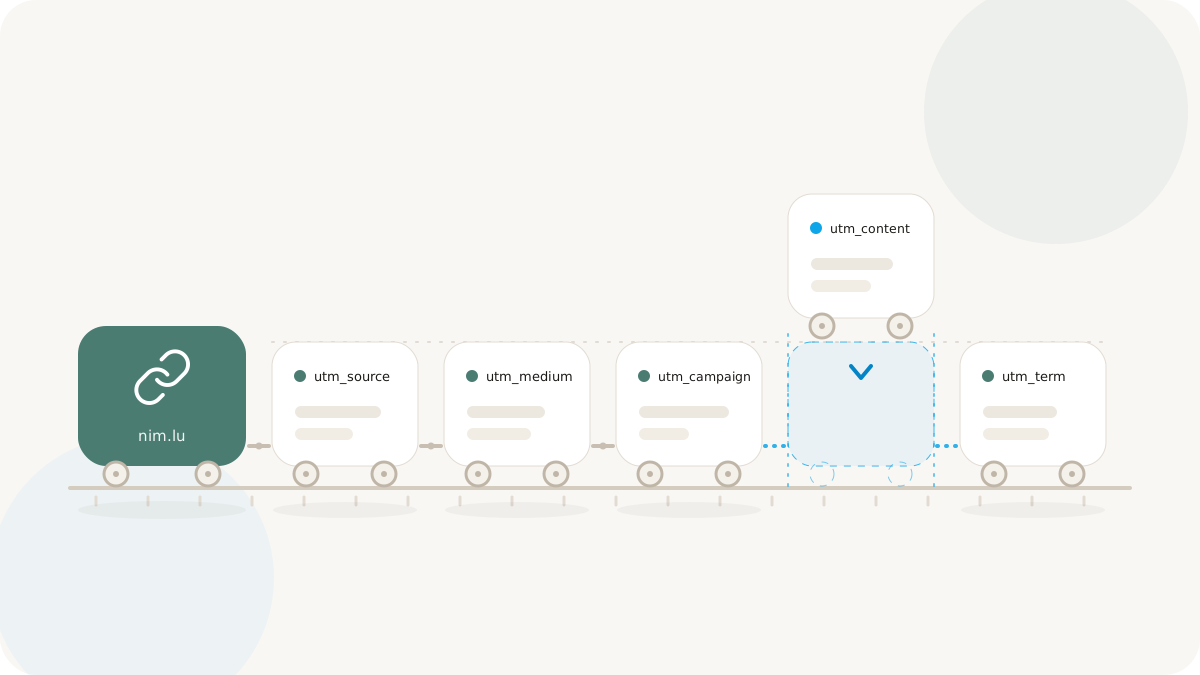
UTM parameters sit at the foundation of digital marketing attribution. They are how your analytics platform - Google Analytics, Amplitude, Mixpanel, your data warehouse - knows which campaign generated a click, which channel delivered it, and which creative variant performed. When UTMs are inconsistent, the entire reporting stack downstream becomes unreliable. Budget decisions get made on noisy data. Campaigns that are working look like they aren't. Campaigns that aren't working get funded because the data is too fragmented to tell a clear story.
This guide covers UTM mechanics, a complete taxonomy framework, common failure patterns to avoid, team workflow best practices, and how Nimriz's link metadata storage protects your attribution data against future changes.
The five standard parameters and what they actually mean
Every analytics platform that understands UTMs uses the same five parameters. Understanding what each is intended to represent - not just what you happen to put in it - is what separates clean attribution from chaos.
utm_source identifies the platform or partner sending the traffic. This should be a recognizable, stable noun: newsletter, twitter, instagram, linkedin, google, klaviyo, partner_abc. The source is the who - who sent this visitor.
utm_medium describes the type of channel or method of delivery. This is higher-level than source: email, social, cpc, display, affiliate, sms, podcast. Medium is the how - how the link reached the user.
utm_campaign names the specific marketing initiative. This is the what - what campaign or program is this link part of: spring_launch, bfcm_2026, q3_nurture_series, brand_awareness_july.
utm_term was originally designed for paid search keyword tracking. In paid search, it captures the keyword that triggered the ad. In non-search contexts, teams often use it for audience segment labels, A/B test variant names, or paid targeting parameters.
utm_content differentiates between multiple links within the same campaign and channel. This is your creative or placement differentiator: hero_cta, footer_link, nav_banner, red_variant, blue_variant.
Used correctly, a single UTM string tells a complete story: utm_source=klaviyo&utm_medium=email&utm_campaign=spring_launch&utm_content=hero_cta means "this click came from a Klaviyo email blast, part of the spring launch campaign, specifically from the hero call-to-action."
Taxonomy design: consistency is more important than perfect naming
The most common UTM failure is inconsistent values across senders. When one team member writes utm_source=Twitter and another writes utm_source=twitter and a third writes utm_source=tw, the analytics platform treats these as three distinct sources. Your Twitter performance is now fragmented across three buckets, and any report that filters by utm_source=twitter misses two thirds of the data.
The solution is not a perfect naming convention - it is a documented and enforced naming convention. Pick a canonical value list and write it down:
E-commerce UTM taxonomy reference
| Parameter | Canonical values |
|---|---|
utm_source | instagram, tiktok, meta_ads, klaviyo, sms_attentive, google_ads, affiliate_partner, youtube |
utm_medium | social_paid, social_organic, email, sms, display, search_paid, video, affiliate |
utm_campaign | bfcm_2026, spring_sale, new_arrivals_q1, loyalty_winback, welcome_series |
utm_content | hero_image, carousel_1, story_swipeup, subject_a, subject_b, footer_text |
B2B SaaS UTM taxonomy reference
| Parameter | Canonical values |
|---|---|
utm_source | linkedin, google_ads, hubspot, outreach, webinar_platform, podcast_sponsorship, g2 |
utm_medium | social_paid, email_outbound, email_nurture, webinar, content_syndication, review_site, cpc |
utm_campaign | q3_pipeline_push, product_launch_v2, ebook_series, demo_request_flow, enterprise_prospect |
utm_content | cta_primary, inline_text, banner_sidebar, email_sig, p2_paragraph |
The slug-vs-UTM decision: what belongs where
A recurring question for teams building link systems: should campaign information live in the slug, the UTM parameters, or both?
The principled answer:
The slug is for humans. It should be readable, memorable, and stable. links.yourbrand.com/spring-launch tells a human what this link is for. A team member copying a link from a spreadsheet knows what they're looking at. If the link ends up in a tweet that gets retweeted, the URL reads cleanly.
UTM parameters are for machines. They exist to be parsed by analytics software. Users never need to read them. They carry channel, medium, and variant metadata that your analytics platform uses for attribution.
This means a single slug can be distributed across multiple channels with different UTM appended, and all traffic back-aggregates to the campaign in your reporting:
links.yourbrand.com/spring-launch?utm_source=klaviyo&utm_medium=emaillinks.yourbrand.com/spring-launch?utm_source=instagram&utm_medium=social_paid
Both link to the same page. Both credit the same slug. But attribution correctly breaks down by channel.
Avoid putting channel semantics in the slug (/spring-launch-email-v2) - this approach doesn't scale, creates maintenance debt, and makes link lists unreadable.
One campaign, many links: avoiding UTM proliferation
A tempting mistake: inventing a new utm_campaign value for every distribution context. You end up with spring_launch_email, spring_launch_ig, spring_launch_twitter, spring_launch_sms - all the same campaign, but now fragmented across five campaign buckets in your analytics.
The cleaner approach: use one utm_campaign for the initiative, and use utm_medium, utm_source, and utm_content to describe where and how it was distributed. Your reporting can then filter to utm_campaign=spring_launch and break down performance by medium or source independently.
This becomes especially powerful when you want to answer questions like: "Total clicks across all channels for the spring launch campaign" - which is trivial when the campaign name is stable, and impossible when it's fragmented.
Storing presets and preventing drift
The best way to enforce UTM consistency is to remove the need for manual entry. Nimriz's link editor supports building UTMs during link creation. For teams that create large volumes of links, storing approved source/medium/campaign presets means new links inherit the correct taxonomy by default.
For teams without a UTM builder in their tool, a shared template document or spreadsheet with approved values - reviewed and updated by a marketing ops owner each quarter - dramatically reduces drift over time. Require approval before new canonical values are added to the list.
How Nimriz preserves attribution over time
A subtle but important behavior: when you update a short link's destination URL after the link has been sent, the UTM parameters attached to click events should reflect the parameters that were active at click time, not whatever is on the destination URL today.
Nimriz stores the destination URL and UTM metadata as link metadata at creation time. Historical clicks align with the UTM values that were in effect when the link was built. This means if you update a destination six weeks after a campaign, historical report data is not retroactively altered. Your campaign performance numbers are stable.
This matters more than it sounds. Teams that rely only on the current destination URL to infer historical UTMs end up with attribution that shifts whenever a link is updated - which introduces phantom data quality problems that are very hard to diagnose.
Common failure patterns and how to avoid them
Capitalization inconsistency: Twitter vs twitter vs TWITTER. Enforce lowercase everywhere, always. Add a linting check if your team has enough volume to justify it.
Spaces in UTM values: URL encoding turns spaces into %20 or +, which some parsers handle inconsistently. Use underscores or hyphens as word separators within UTM values.
Campaign name reuse across years: summer_sale in 2025 and summer_sale in 2026 look identical in multi-year reports. Add the year: summer_sale_2026.
Omitting utm_content when A/B testing: If you are testing two email subject lines or two creative variants and you don't differentiate with utm_content, you will not know which variant drove performance.
UTMs on internal links: Do not apply UTM parameters to internal navigation links (links that go to pages on your own site). This overwrites the original source attribution and makes it look like your internal pages are campaign traffic sources.
Further reading
- Analytics definitions - how click data maps to dimensions in Nimriz
- 301 vs 302 redirects - why destination updates do not always take effect immediately
- Automating link management with APIs and webhooks - bulk link creation with consistent UTMs